Musical 1.3.1 is outSee what’s new

Welcome backto owning music.

Your music. Your collection. Your way. Musical is the music player for the CDs, rips and downloads you actually own — on your Mac, iPhone, iPad, Apple TV, in any browser, in the car, and even on your old iPod.

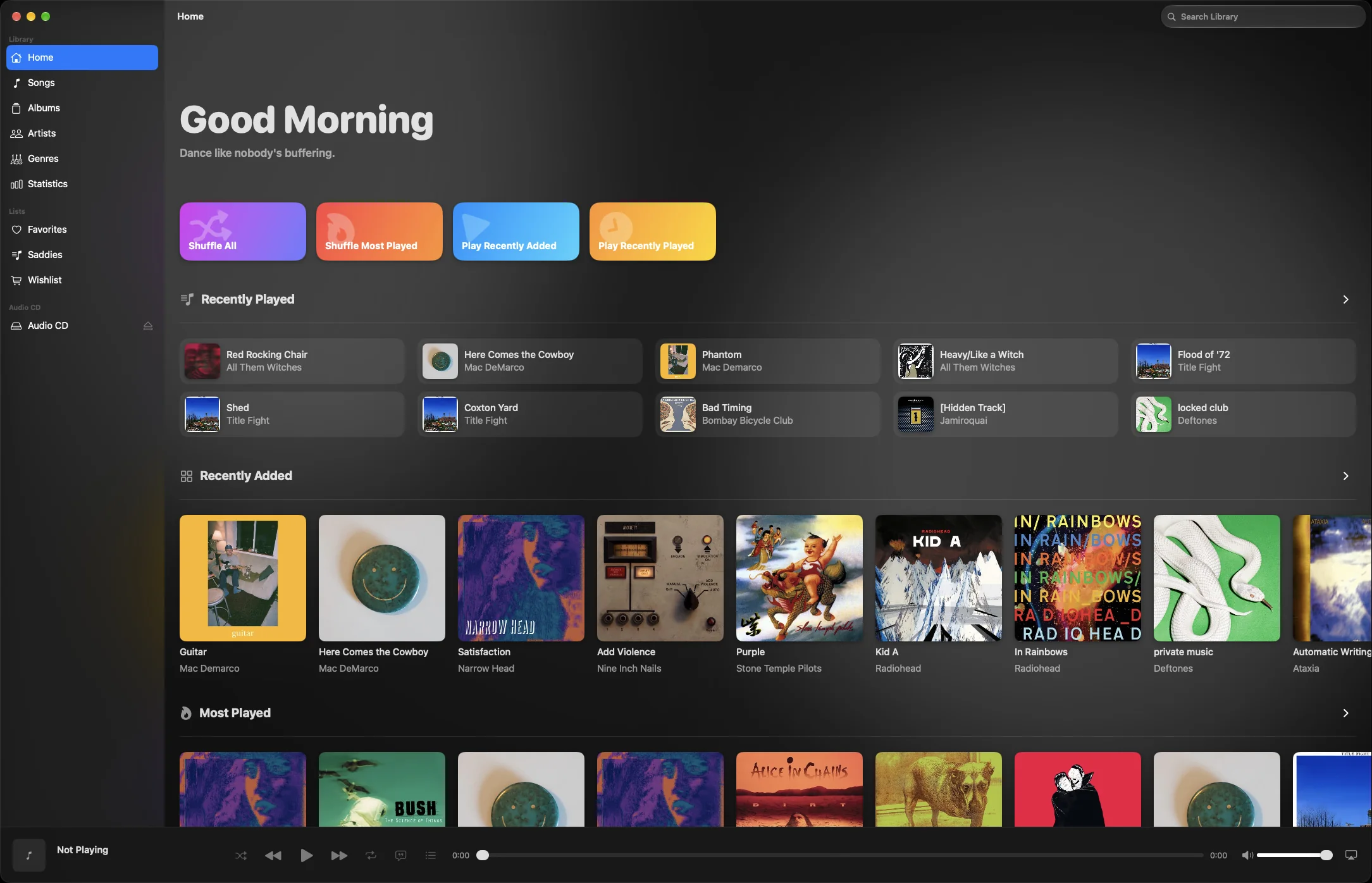
Musical for Mac: the Home screen with colourful Shuffle and Play tiles, recently played songs and a row of recently added albums
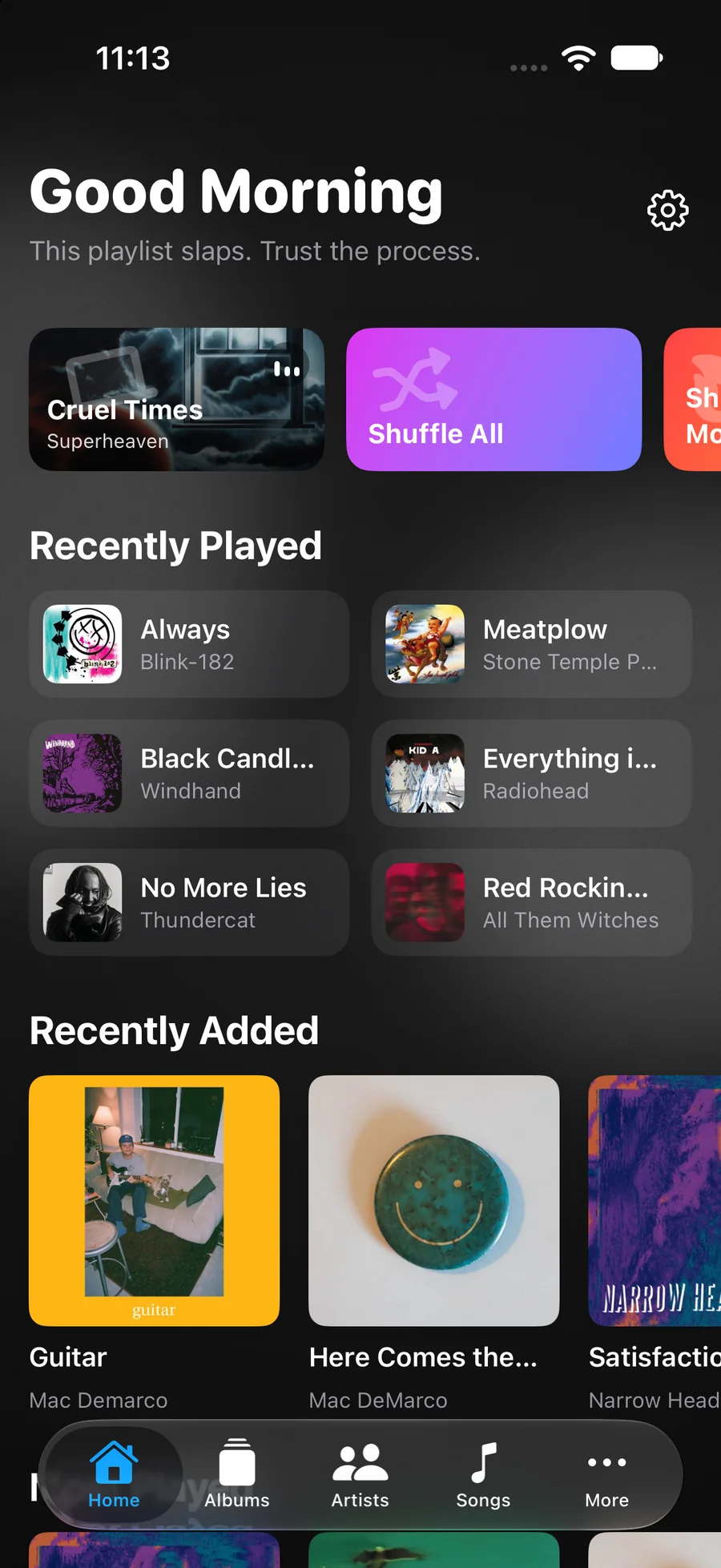
Musical on iPhone: Good Morning home screen with recently played and recently added albums
Neon HarbourPaper Satellites
Living Room
CDs Vinyl rips FLAC Apple Lossless Bandcamp downloads Old iTunes libraries External drives WAV AIFF MP3
Mac iPhone iPad Apple TV iPod CarPlay AirPlay At home Away Offline Your way

CDs are back. Vinyl is everywhere. People are ripping old collections, buying albums they actually want to keep, and building libraries that don’t disappear when a subscription does.

Streaming means you’re renting your music.

Streaming feels cheap one month at a time. Add it up, and it’s one of the most expensive ways to listen to music you’ll never own.

Paid by one Spotify Premium subscriber in the US since 2011

$0

…and they don’t own a single song.

Cumulative amount paid by one US Spotify Premium Individual subscriber from July 2011 to September 2026, reaching $1,903.17.
$1,903
View as table
YearMonthly pricePaidRunning total
2011$9.99$59.94$59.94
2012$9.99$119.88$179.82
2013$9.99$119.88$299.70
2014$9.99$119.88$419.58
2015$9.99$119.88$539.46
2016$9.99$119.88$659.34
2017$9.99$119.88$779.22
2018$9.99$119.88$899.10
2019$9.99$119.88$1,018.98
2020$9.99$119.88$1,138.86
2021$9.99$119.88$1,258.74
2022$9.99$119.88$1,378.62
2023$9.99 → $10.99$125.88$1,504.50
2024$10.99 → $11.99$138.88$1,643.38
2025$11.99$143.88$1,787.26
2026$11.99 → $12.99$115.91$1,903.17

Same plan.
30% more.

Spotify Premium Individual, per month, in the US.

  1. $9.992011
  2. $10.992023
  3. $11.992024
  4. $12.992026

What would you pay?

Spotify plan

Streaming, 10 years on Individual

$0.00

Streaming · $1,559 and counting
Musical · $4.99, once

That’s about 103 new albums at $15 each — or 311 used CDs at $5 each. Music you’d still own when you stop paying.

Used CDs stretch it even further. Thrift and charity shops, record fairs, Discogs and eBay are full of second-hand CDs, often for a fraction of the new price. They don’t pay the artist directly, though — so mix in new releases, gigs and merch for the ones you love.

Illustrative prices; what you’ll pay varies.

And the bill isn’t the only catch.

  • Prices only go up.

    Spotify’s Individual plan has gone up three times since 2023. Apple Music followed in July 2026.

  • Stop paying, lose everything.

    Cancel, and your library, playlists and downloads go with it. Years of curating, gone overnight.

  • Albums vanish.

    When licensing deals change, songs grey out and whole albums disappear — even the ones you loved.

  • Artists get crumbs.

    A stream pays artists a fraction of a cent. Buying an album puts real money in their pocket.

  • Every play is watched.

    Plays, skips and searches are tracked and profiled, all to keep you listening and paying.

  • Somebody else’s catalogue.

    Rare pressings, live sets, local bands, your own rips — if it isn’t licensed, it isn’t there.

Figures use US list prices for Spotify Premium Individual from its US launch in July 2011 to September 2026 ($9.99, then $10.99 from July 2023, $11.99 from June 2024 and $12.99 from February 2026). Sources: Variety, SoundGuys, Variety on Apple Music.

Own it once.
Keep it forever.

When the music is yours, everything gets simpler. No bills, no disappearing albums and nobody deciding what you’re allowed to hear.

Pay onceNo bills. Ever.
LosslessYour originals, untouched
OfflineNo signal needed
PrivateNo account. No tracking.
Cost
Streaming: A monthly bill, forever
Musical: Pay once, keep it for life
If you stop
Streaming: Your library disappears
Musical: Every album stays yours
What’s there
Streaming: Whatever’s licensed this month
Musical: Anything you own — CDs, rips, downloads
Artists
Streaming: A fraction of a cent per play
Musical: Paid properly when you buy
Privacy
Streaming: Accounts, tracking and profiling
Musical: No login. Nothing leaves your devices
Quality
Streaming: Whatever your plan allows
Musical: Bit-perfect originals, lossless
No signal
Streaming: Only what you’ve downloaded — while you pay
Musical: Download anything and keep it
Your devices
Streaming: Only where their app runs
Musical: Mac, iPhone, iPad, Apple TV — even your old iPod

Every feature,
on every device.

Your Mac does the heavy lifting, the iOS app stands on its own on iPhone and iPad, Apple TV and CarPlay play from them, and the web player brings your library to any browser. Here’s what each one can do.

Mac Free download

The heart of your collection. Holds your library and shares it with everything else.

  • One library from folders, drives and other Macs
  • Bit-perfect playback of FLAC, Apple Lossless, WAV, AIFF, AAC and MP3
  • Shares your library with your other devices
  • Rips CDs, with artwork and lyrics
  • Watches your folders for new or changed files
  • Automatic tags, artwork and lyrics
  • Edit tags and artwork by hand
  • DLNA server for smart TVs, hi-fi and other players New
  • Sync albums, playlists and lyrics to an iPod, and back New
  • Full-screen player and visualiser
  • Timed, full-screen lyrics
  • Gapless playback
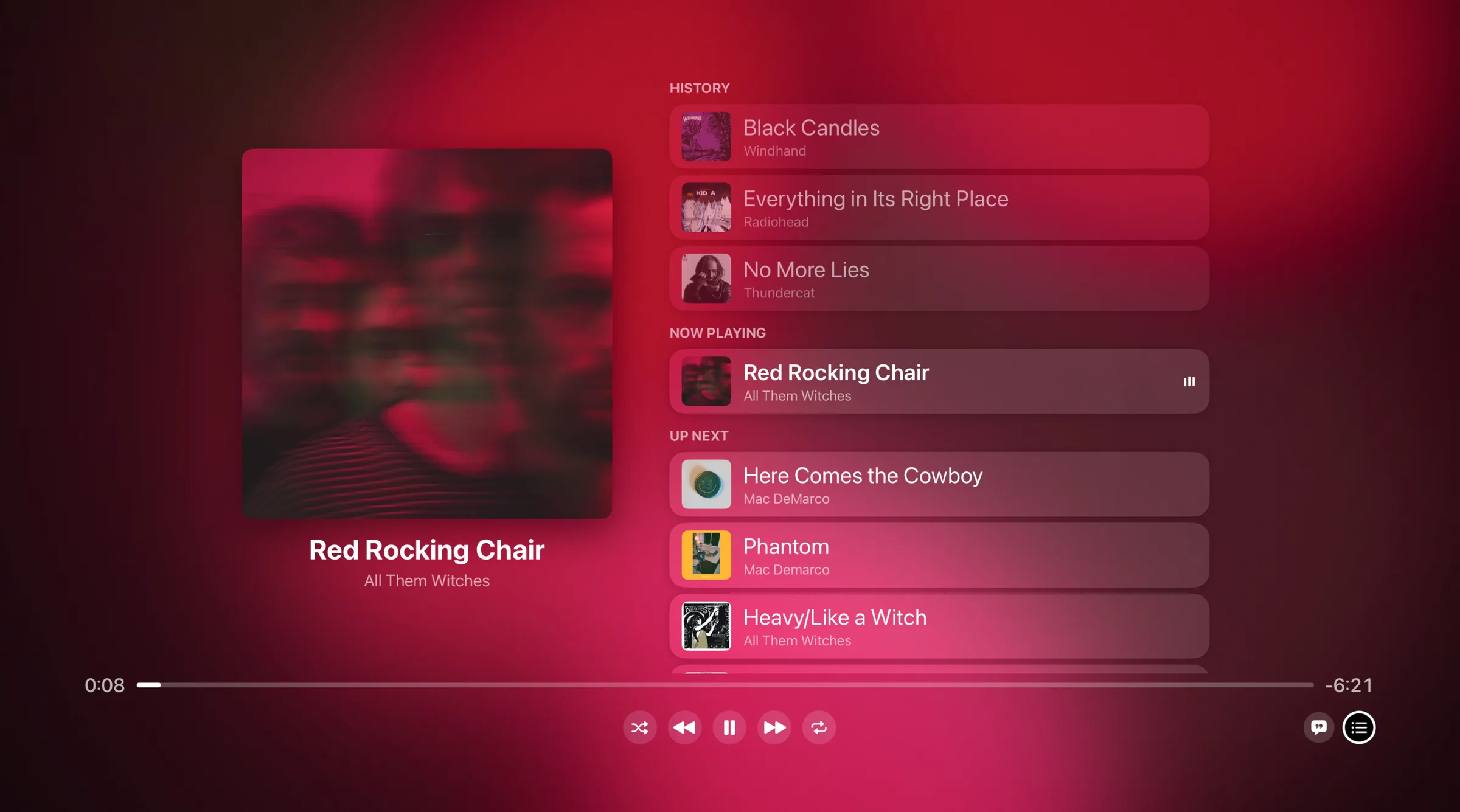
  • Queue: play next, play later, reorder
  • Favourites and playlists
  • Prepares Wi-Fi and mobile-data quality copies
  • AirPlay to speakers around the house
  • Remote control for another Mac, your Apple TV or iPhone
  • Can be controlled from your other devices
  • Suggestions and missing albums
  • Hunt List for albums you’re after
  • Listening statistics, kept on your Mac
  • Gigs near you, mood playlists and new-release alerts Soon

iOS iPhone & iPad · $4.99 once

Your whole library in your pocket. Stands on its own, or connects to your Mac.

  • Holds its own library, or connects to your Mac
  • Bit-perfect lossless playback
  • Listen at home, away from home or offline
  • Download albums for offline listening
  • Manage downloads and free up space New
  • Separate quality for Wi-Fi and mobile data
  • Automatic tags, artwork and lyrics
  • Timed, full-screen lyrics
  • Gapless playback
  • Queue: play next, play later, reorder
  • Favourites and playlists
  • AirPlay to speakers around the house
  • Remote control for your Mac or Apple TV
  • Can be controlled from your Mac
  • CarPlay built in
  • Suggestions and missing albums
  • Hunt List for the record shop
  • Listening statistics, kept on your device
  • Gigs near you, mood playlists and new-release alerts Soon

Apple TV Same purchase

Your collection on the biggest screen in the house, playing from your Mac or iPhone.

  • Plays your library from your Mac or iPhone at home
  • Bit-perfect lossless playback
  • Timed, full-screen lyrics
  • Gapless playback
  • Queue: play next, play later, reorder
  • Favourites and playlists
  • For You suggestions and recently played
  • Can be controlled from your Mac or iPhone
  • Reconnects to your Mac automatically

CarPlay With your iPhone

Start the car and pick up right where you left off, through your iPhone.

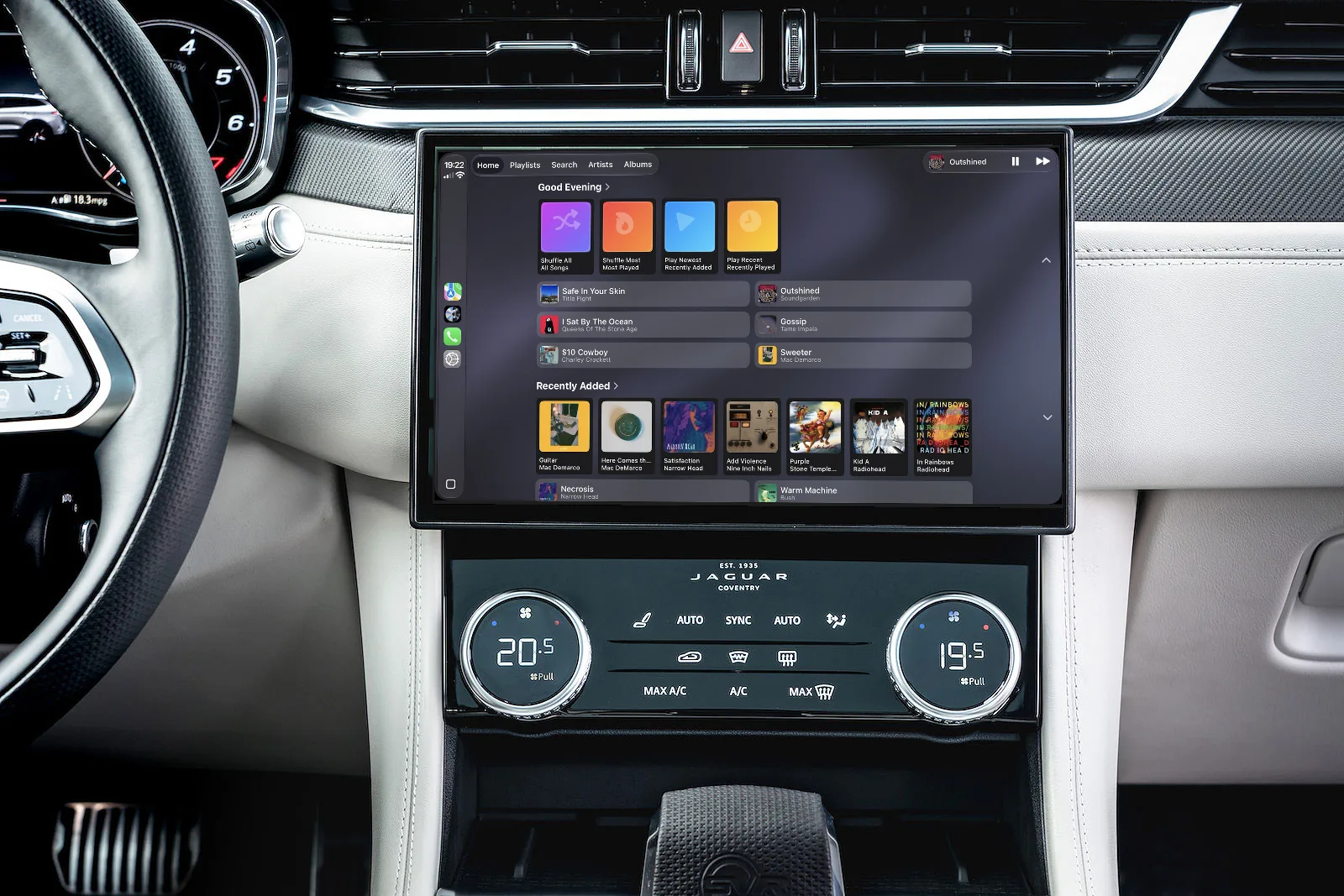
  • Browse and play your library on the car’s screen
  • Quick-play tiles and recently added albums
  • Favourites and playlists
  • Gapless playback
  • Plays at home, remotely or with no signal at all
  • Downloaded albums play without using data
  • Quality that adapts to your mobile data
  • Picks up where your iPhone left off

Web player Any browser · Free · Beta

Your Mac’s library on any computer or phone: Windows, Android, ChromeOS, Linux or Mac.

Open the web player
  • Plays your library straight from your Mac
  • Pairs with a 6-digit code, then stays paired
  • Search albums, artists and songs
  • Original quality, Apple Lossless and AIFF included
  • Shuffle, repeat and volume
  • Media keys and lock-screen controls
  • Installs as an app from Chrome, Edge or Safari
  • One window plays at a time, and takes over when another closes
  • No music stored in the browser

Under the hood

The technical bits, for those who like to know.

Audio formats
FLAC, Apple Lossless (ALAC), WAV, AIFF, AAC (M4A) and MP3, so ripped CDs, Bandcamp downloads, old iTunes libraries and digitised records all play as they are.
Bit-perfect playback
Your original files play untouched: no re-encoding, no normalising, no changes on disk. Gapless, with the format and bitrate of every track shown as it plays.
CD ripping
Rip to Apple Lossless, or pick another format, with the track list, artwork and lyrics filled in. Choose Just Play or Ask to Import, and whether to eject when finished.
iPod sync
Plug a classic click-wheel iPod into your Mac over USB and Musical picks it up. Choose the albums and playlists to put on it, and copy music that’s already on the iPod back into your library. Lyrics and playlists go across and play counts come back, just like a native sync. iPods running Rockbox work too.
Streaming quality
Separate tiers for Wi-Fi and mobile data, from Minimal (32 kbps) to High Quality (256 kbps), prepared ahead of time so switching is instant. If a song is already on the device, that copy plays.
Downloads
Albums downloaded to an iPhone or iPad are stored on the device and play with no connection at all. See what’s taking up space and remove it in a tap; anything removed stays in your library and can be downloaded again.
Connections
Peer-to-peer between your own devices: over your local network at home, remotely when you’re away. The only thing on a server is a set of encrypted connection IDs so your devices can find each other.
DLNA server
Musical for Mac runs a UPnP/DLNA media server, so smart TVs, AV receivers, network speakers and consoles on the same network can browse and play your library.
Lyrics and artwork
Timed lyrics and high-resolution artwork, fetched by your own device from third-party sources where available. Any tag or cover can be edited by hand.
Library
Any folder or drive, including external drives and other Macs. Folders are watched for new or changed files, and your files stay exactly where they are.

One $4.99 purchase covers iPhone, iPad and Apple TV. The Mac app and web player are free. Something missing? Ask for it on the feedback board or read the FAQ.

This is what CDs should feel like now.

Put one in your Mac and Musical recognises it, finds the artwork and lyrics, adds it to your library and starts playing in a beautiful full-screen player.

  1. Disc recognisedNeon Harbour · Paper Satellites
  2. Artwork foundHigh-resolution cover
  3. Lyrics downloadedTimed for singing along
  4. Added to your librarySaved as Apple Lossless
  5. Playing in full screenTrack 1 of 11
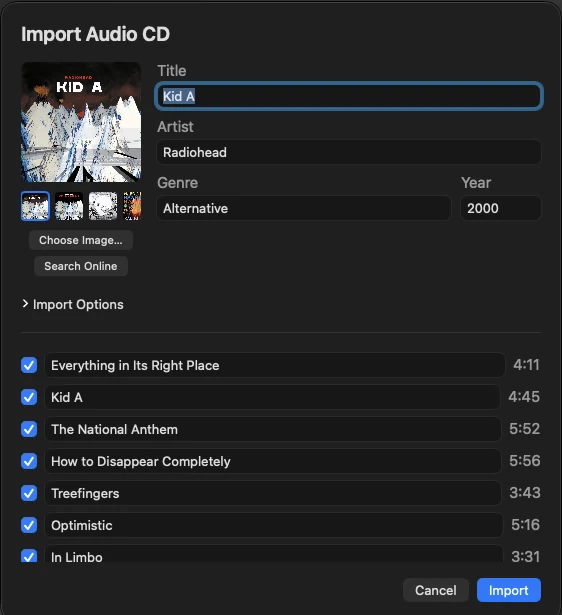
The Import Audio CD window in Musical, showing the album artwork, title, artist, genre and year above a list of tracks with checkboxes
Prefer to check first? Ask to Import shows the track list before anything’s saved — edit the details, pick the artwork, untick tracks.

Then send it round the house. With AirPlay, that CD can play through the speakers in every room.

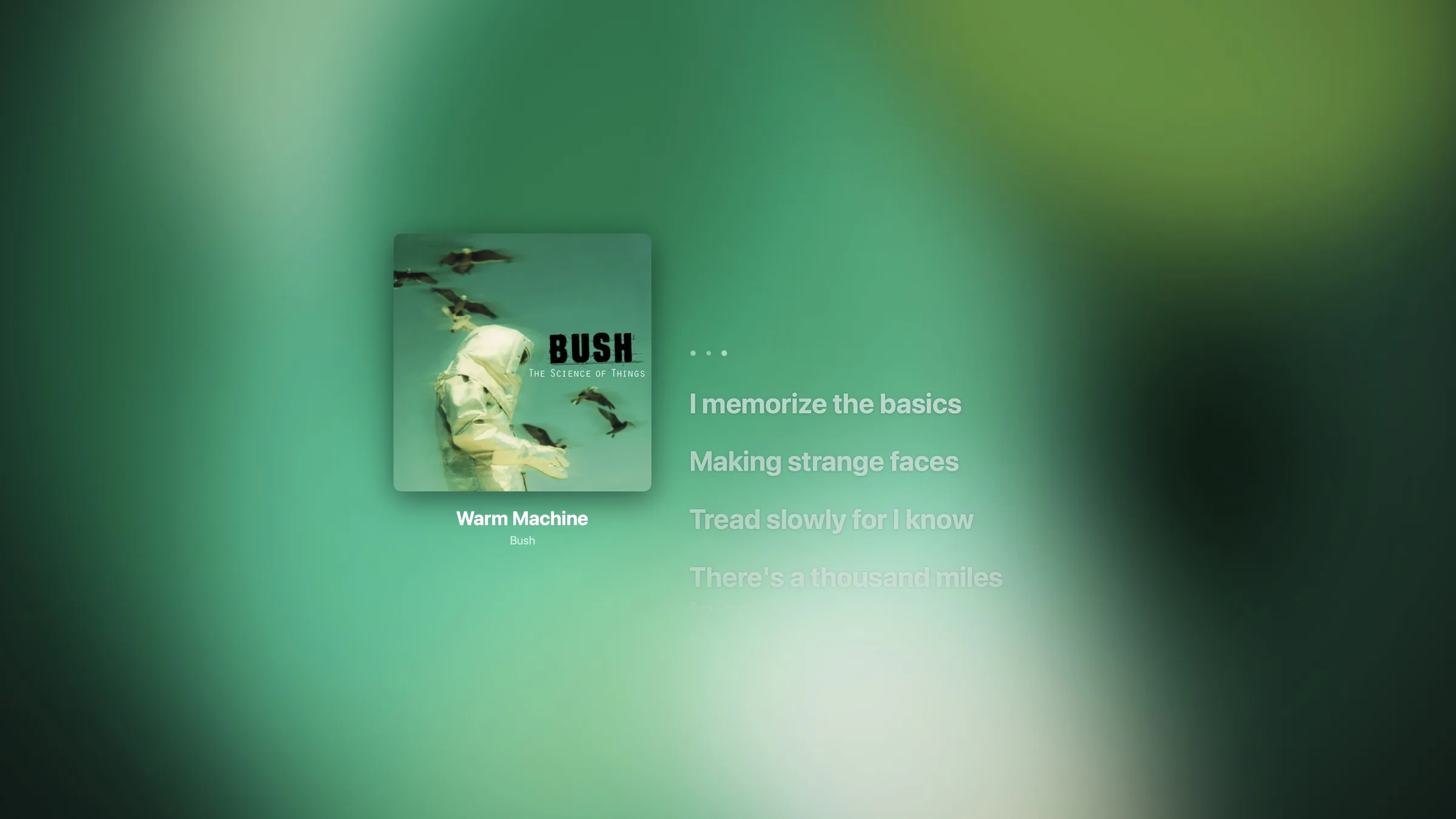
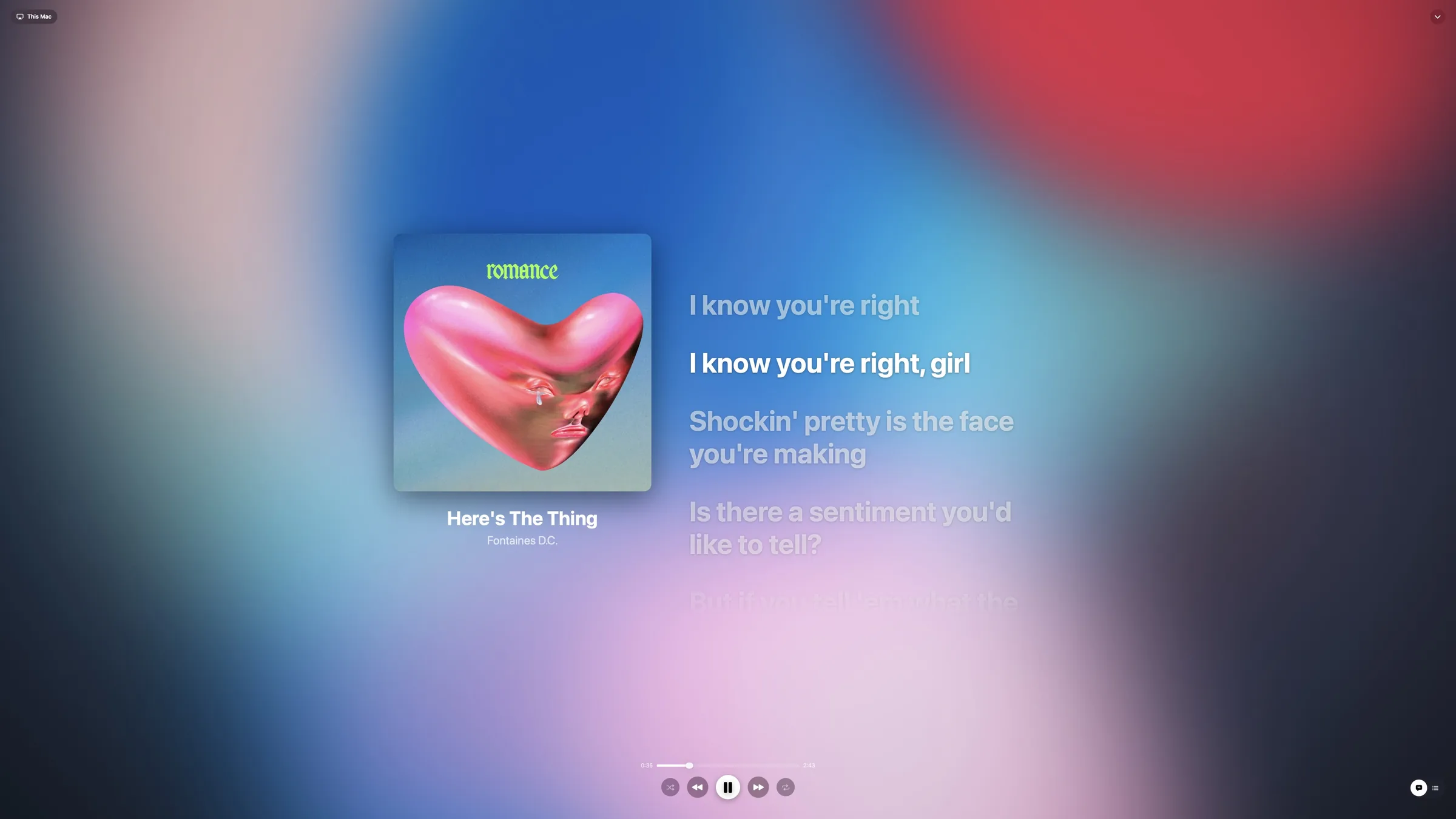
Musical's full-screen player on Mac: album artwork beside timed lyrics over a soft green background drawn from the cover
Full screen, the moment the disc spins up
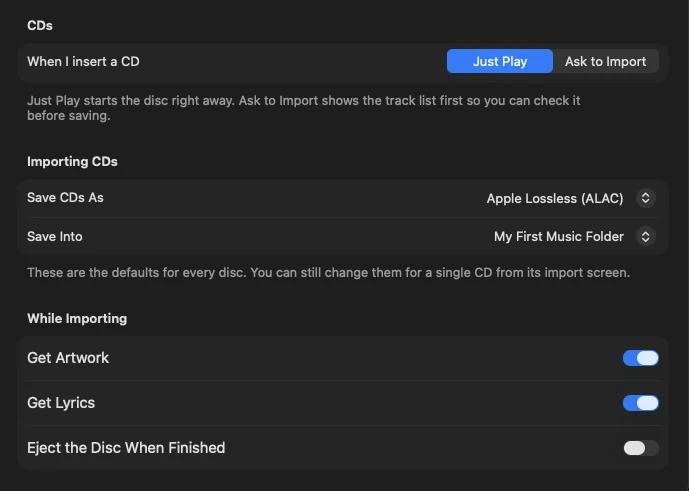
CD settings in Musical: when I insert a CD, Just Play or Ask to Import; save CDs as Apple Lossless; get artwork; get lyrics; eject when finished
Your disc, your rules. Play straight away or import first, choose the format, and decide what happens when it’s done.

Your iPod.
Back in the game.

Plug a classic iPod into your Mac and Musical picks it up. Choose the albums and playlists you want to take with you, sync, and go. Music already on the iPod can come the other way, too.

  1. iPod connectediPod classic · 80 GB
  2. Albums and playlists picked4 albums · 2 playlists
  3. Syncing125 songs · 3.8 GB
  4. Ready to goEject, unplug, press play
  • Lyrics
  • Playlists
  • Play counts

Just like a native integration. Lyrics go with the songs, playlists arrive as playlists, and what you play on the iPod counts in your stats. Works with iPods running Rockbox, too.

Sync to iPod

Pick what goes on.

62.0 GB of 80 GB after sync +3.8 GB

Found an old iPod in a drawer? Plug it in and bring the music on it back into your library. Sync goes both ways.

No signal, no data, no account No notifications Just you and your music

Scattered files.
One collection.

Your music might be on your Mac, an external drive, your iPhone or another Mac. Musical brings it all together, so you can browse and enjoy it as one collection.

On your home network. Connect to your library locally. Instant, and always full quality.

  • MacMain library
  • External driveLossless archive
  • iPhoneDownloads
  • Another MacVinyl rips
Your libraryEvery album, one place
  • iPhoneLocal
  • iPadLocal
  • Apple TVLocal
  • CarPlayLocal
  • iPodSynced over USB
  • AirPlayLocal

Move music between devices

Add new albums to your main library from anywhere, download what you want to take with you, or sync it to your iPod.

Local first, automatically

If a song’s already on your device, Musical plays that copy — saving data without you thinking about it.

Always reconnects

Pair once. Your devices find each other again on their own, at home or away.

Quality that suits your signal

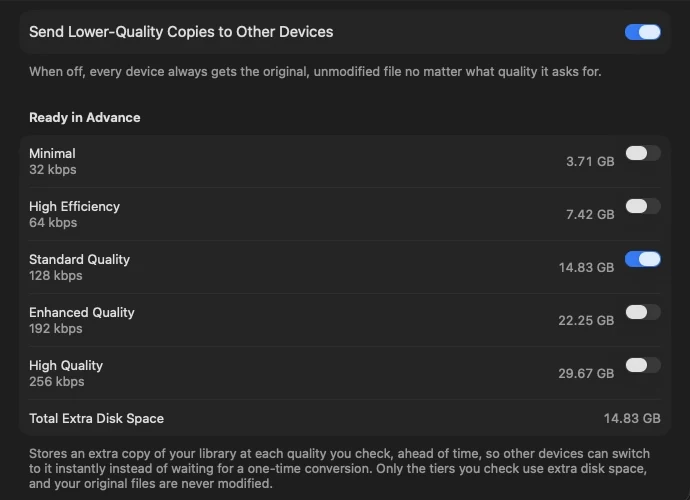
Pick separate quality for Wi-Fi and mobile data. Musical can prepare copies ahead of time, so switching is instant — and your original files are never touched.

Musical's streaming quality settings with tiers from Minimal 32 kbps to High Quality 256 kbps, each showing the disk space it needs

Every cover
paints the room.

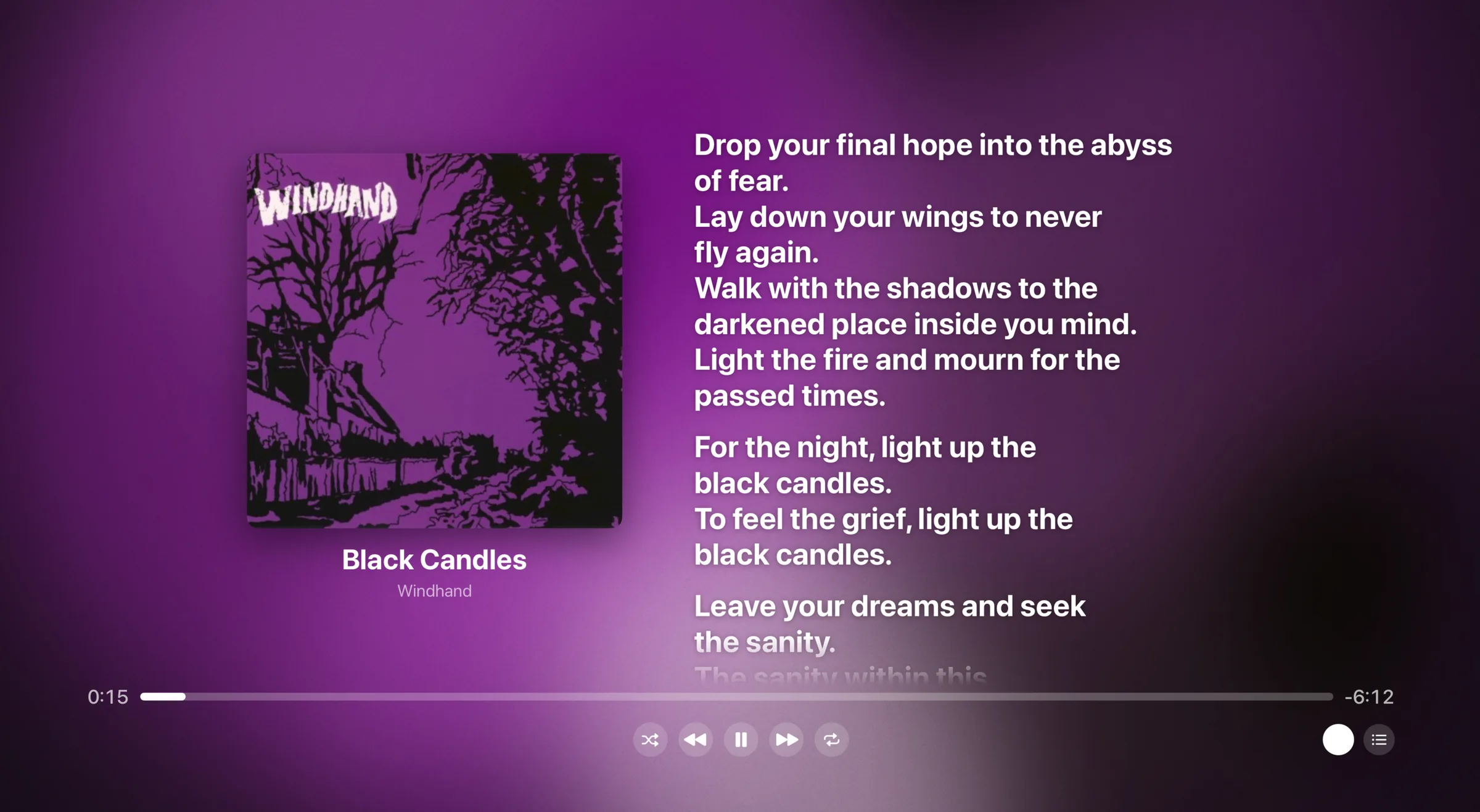
A beautiful full-screen player that takes its colours from the cover, with timed lyrics that light up line by line — whenever they’re available for the song.

Neon HarbourPaper Satellites
  1. Put the needle down, let the room go blue
  2. Every song I kept was a way back to you
  3. Shelves of silver circles catching all the light
  4. Turn it up a little, we’re not sleeping tonight
  5. Nothing here is borrowed, nothing’s out on loan
  6. Every note we’re singing is a note we own

Your next favourite
album is out there.

Owning music doesn’t mean listening to the same albums forever. Musical helps you find artists and albums that fit the collection you’ve already built.

Suggestions that fit your shelf

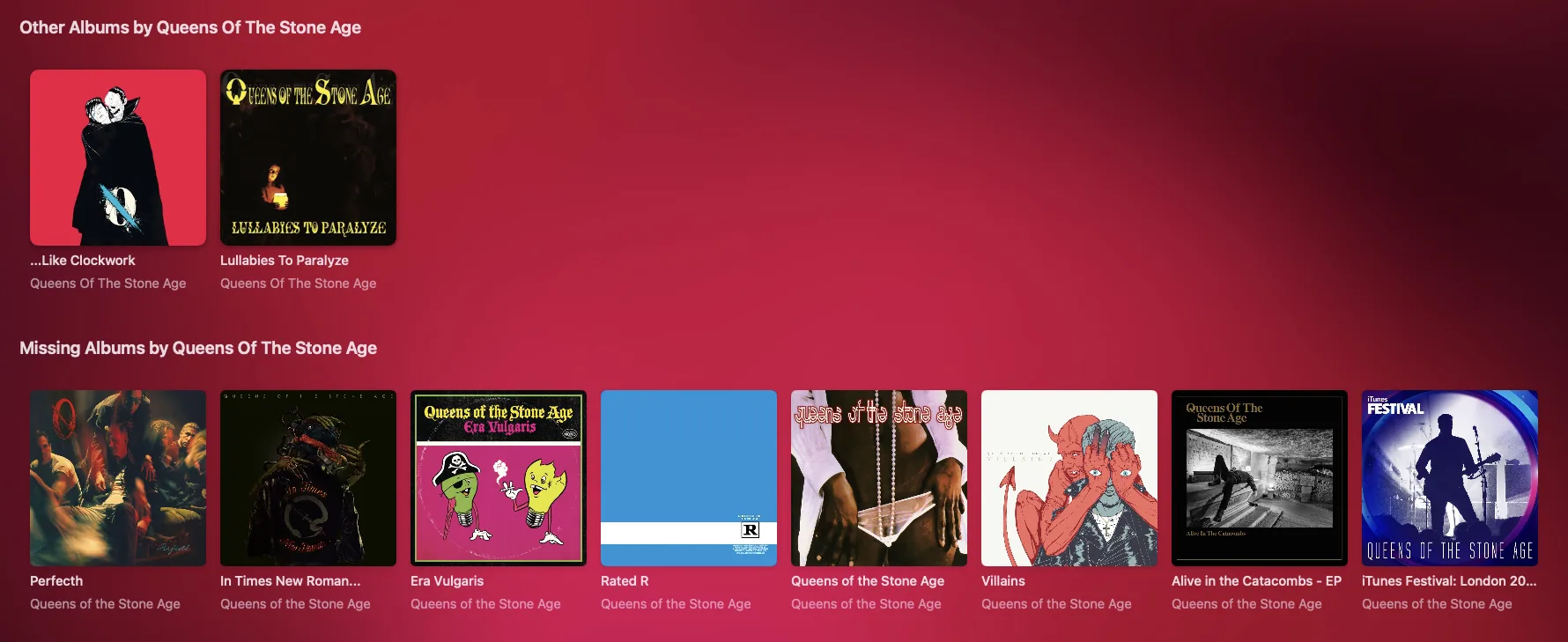
Spot the albums you’re missing from artists you love, discover more like them, and preview a track before you decide. Found a keeper? Buy it on iTunes.

Musical showing other albums by an artist you own and a row of missing albums by that artist, over a red background

Hunt List

Still looking for…

4 to find
  • Low Tide RadioPaper Satellites · 2019
  • Basement Tapes Vol. 2The Low Hum · 2014
  • Northern Lights EPMarlow Vale · 2021
  • Afterglow (Deluxe)Juniper Road · 2017
  • Live at Harbour HallMarlow Vale · 2023

Pull it up at the record shop, so you never buy the same album twice.

Coming soon

Gigs near you

See the bands you own, live.

  • Oct17Paper SatellitesThe Lantern Rooms · 1.2 mi
  • Nov2Marlow ValeHarbour Hall · 3.8 mi
  • Nov21The Low HumThe Old Mill · 6.1 mi
Coming soon

Mood playlists

Made from music you already own.

Late night32 songs from your library

Coming soon

New releases

From artists you already love.

  • Parallel LinesKite Theory · Out Friday
  • Second WindPaper Satellites · New this week

Preview first. Buy it if you love it. Keep it forever.

Build playlists Save favourites Preview before you buy

Strip it
right back.

Musical can be as feature-packed or as simple as you like. At its core, it’s still your music — and a great way to listen to it.

  • Recently playedDon’t need a reminder of last night? Hide it.
  • Most playedRather not see your repeat offenders? Lose them.
  • Recommended for youNot interested in recommendations? Turn them off.
  • ArtistsPrefer to browse by album? Tuck artists away.

Your listening,
beautifully counted.

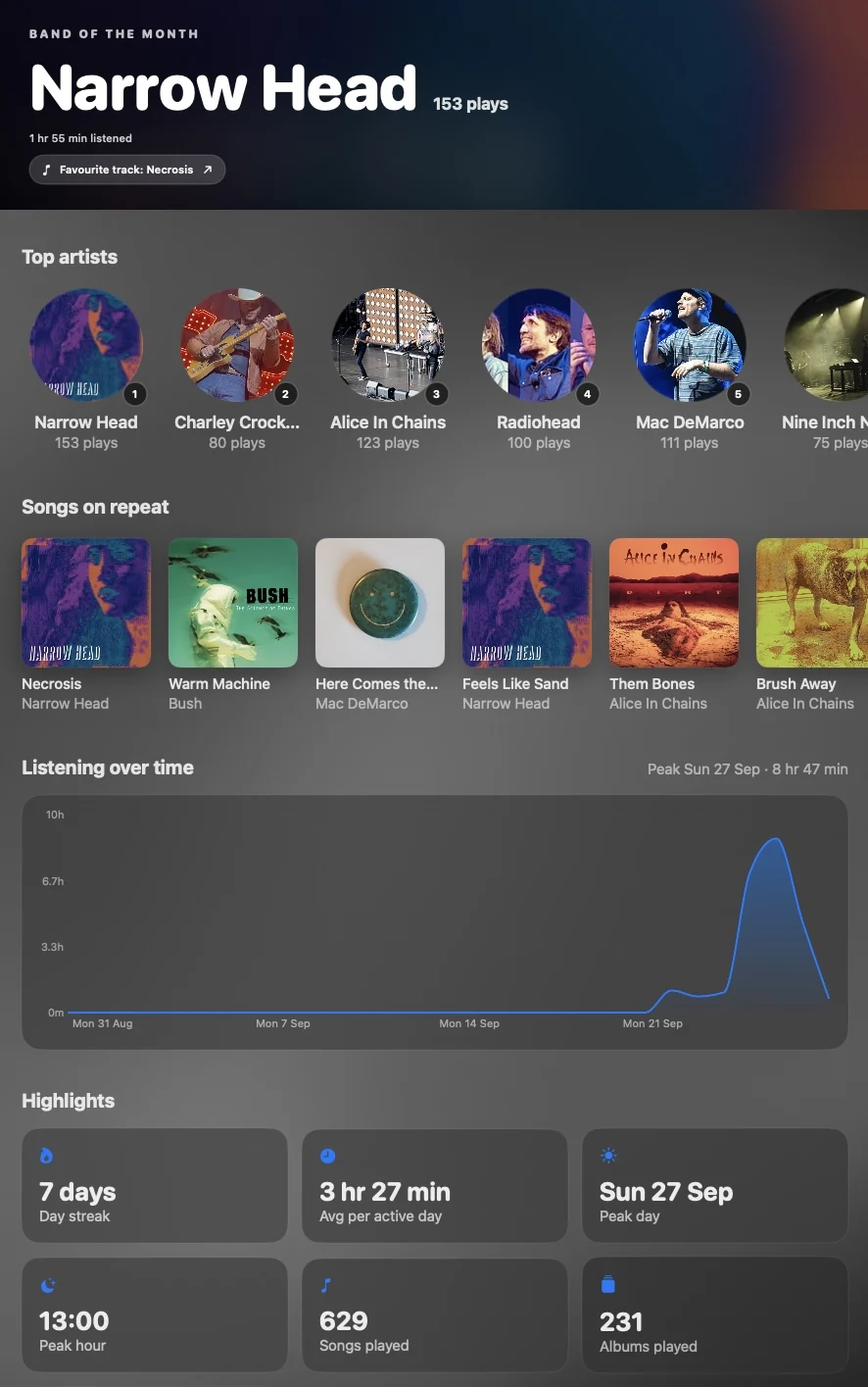
Band of the month, top artists, songs on repeat and listening streaks — worked out on your device, and never sent anywhere. Plays on your iPod count too.

0 daysDay streak
0 hr 0 minAvg per active day
0Songs played
0Albums played
Musical's Statistics page: band of the month, top artists in circles, songs on repeat, a listening-over-time chart and highlight tiles

Every screen.
Every speaker.

Your Mac is the heart of your collection, and your iPhone, iPad, Apple TV, car — even your old iPod — all join in. Listen locally, connect remotely, or take it offline.

Mac

The heart of your collection.

Your Mac holds the library and shares it with everything else — or simply plays on its own. It rips your CDs and syncs your iPod, too. It’s free.

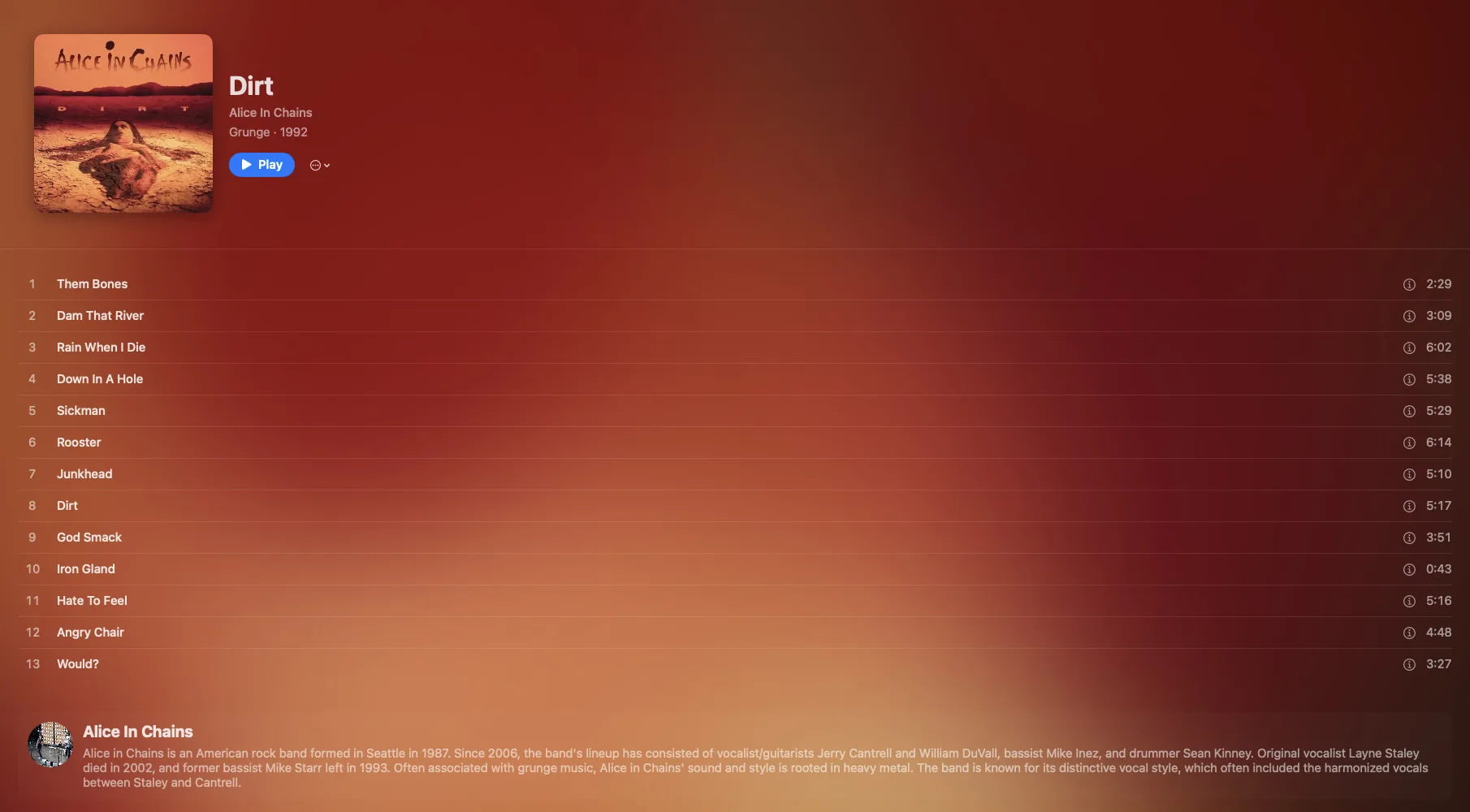
An album page in Musical for Mac with the cover, track list and artist biography over a warm red background taken from the artwork

iPhone & iPad

Your whole library, in your pocket.

At home, away or completely offline — with lyrics, queue and AirPlay a tap away.

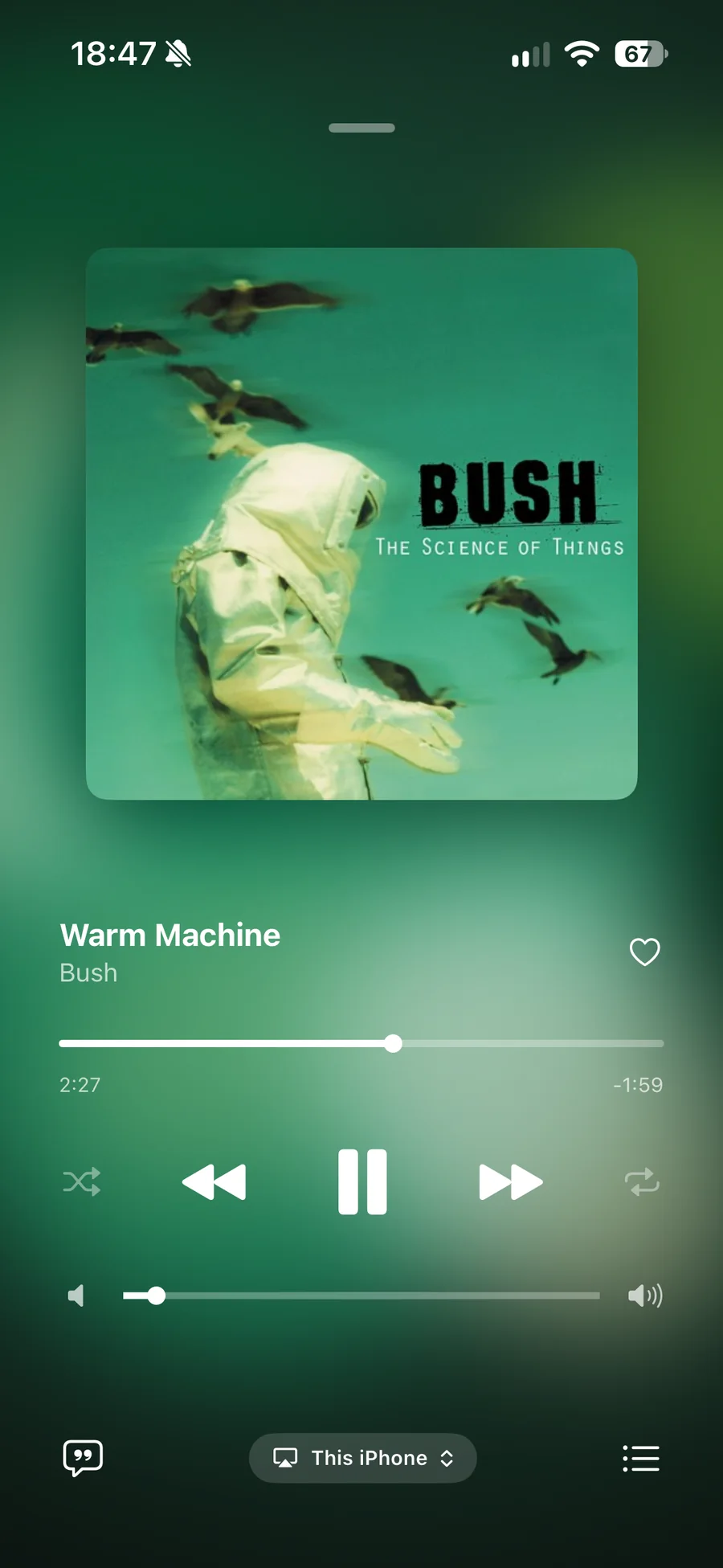
Musical's now playing screen on iPhone with large album artwork, a progress bar and playback controls over a green background
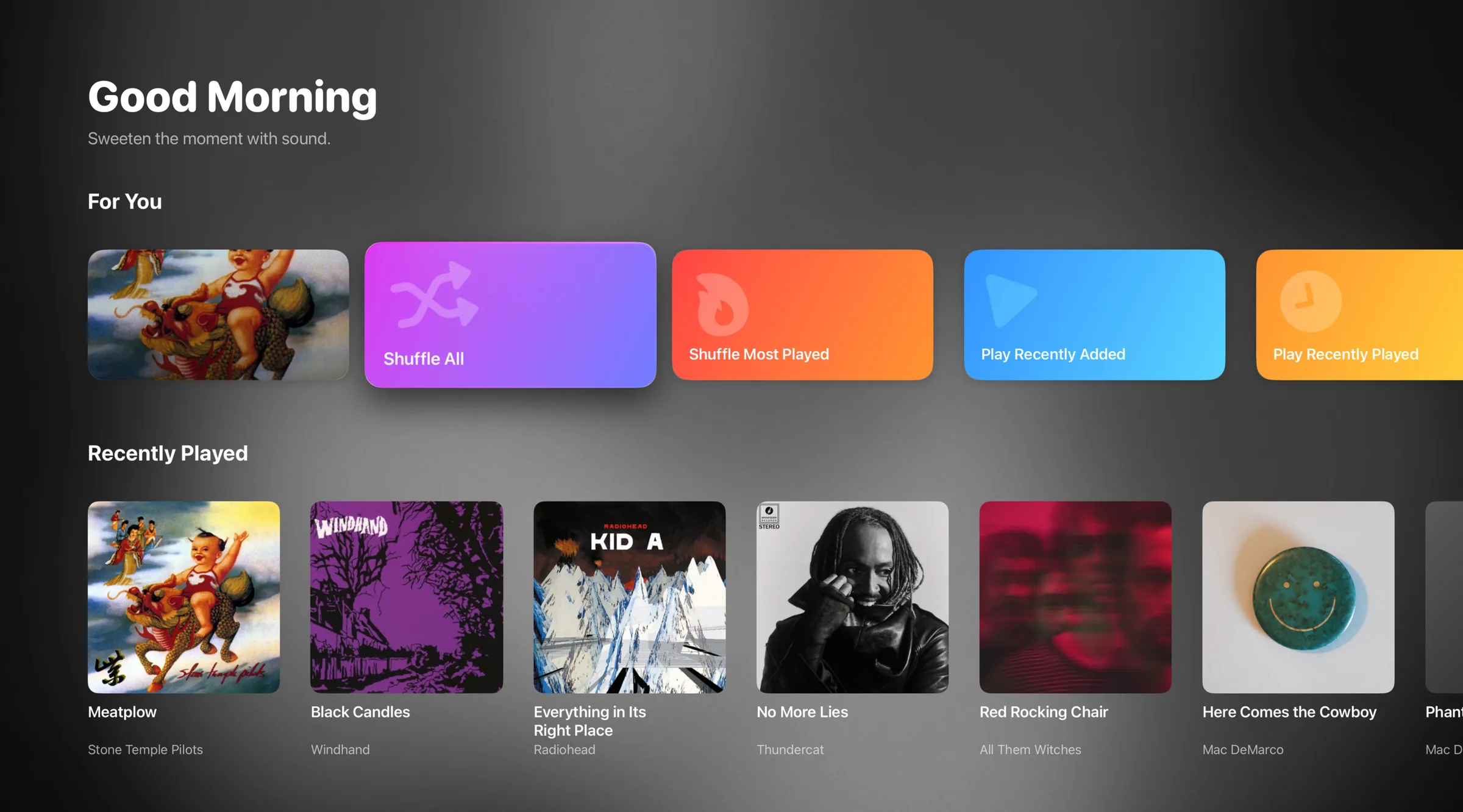
Musical on Apple TV: a Good Morning home screen with colourful For You tiles and a row of recently played albums

Apple TV

Your collection on the biggest screen in the house — lyrics and all.

Musical running in CarPlay on a car's dashboard screen, showing the home screen with quick-play tiles and recently added albums

CarPlay

Start the car. Pick up right where you left off.

Remote & AirPlay

Play anywhere. Control everything.

Any device can be the remote: run another Mac, your Apple TV or your iPhone from your Mac, or your Mac and TV from your iPhone. Or send music to any AirPlay speaker.

Play on

Works like magic

No accounts to link. No setup to fight with.

Your devices find each other, keep their libraries in sync and reconnect on their own — on Wi-Fi or mobile data.

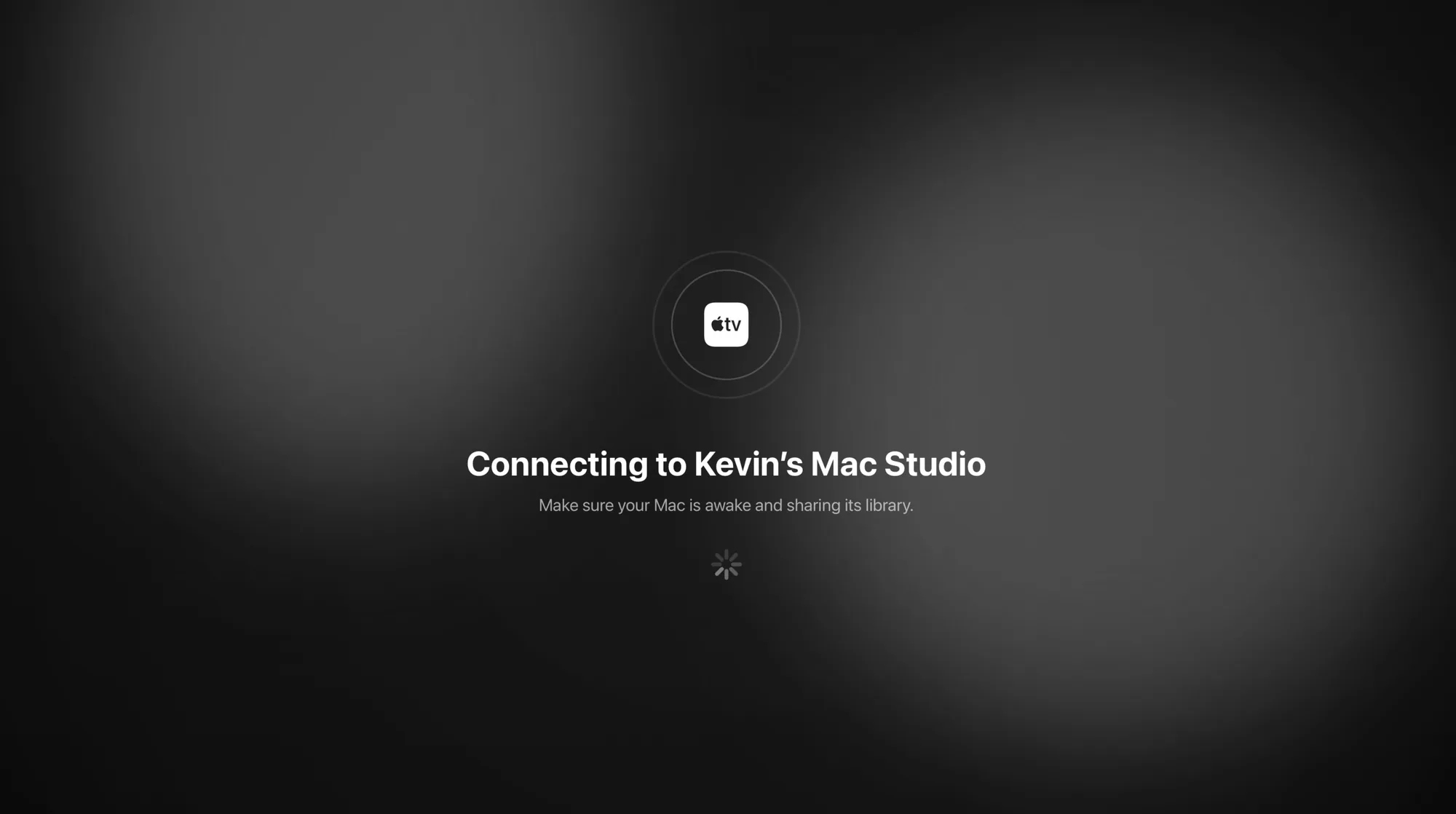
Musical on Apple TV connecting to a Mac Studio, with a note to make sure the Mac is awake and sharing its library
  • Mac
  • iPhone
  • iPad
  • Apple TV
  • CarPlay

Your library,
any browser.

On a work PC, an Android phone or a Chromebook? Open the web player, pair it with Musical on your Mac, and your whole collection is there. It’s free and runs right in the browser.

  1. Get a code from your MacIn Musical, open Settings → Devices → Pair a New Device…
  2. Enter it in the web playerGive the browser a name and pair. It stays paired for next time.
  3. Install it, if you likePress Install app in Chrome, Edge or on Android. In Safari, choose File → Add to Dock, or Share → Add to Home Screen on iPhone and iPad.

In beta. Each song loads in full before it starts, so the first one can take a moment. Your Mac needs to be awake with Musical open.

  • Your whole library, with search
  • Original quality, lossless included
  • Shuffle, repeat and volume
  • Media keys and lock-screen controls
  • Opens from your dock or home screen
  • No music stored in the browser

All the little things a music player should do.

  • Easy CD rippingImport a disc in a couple of clicks, in the format you choose.
  • Automatic taggingTitles, artists, years and genres filled in for you.
  • Artwork, found for youCovers download automatically — or drop in your own.
  • Lyrics, downloadedTimed lyrics for singalongs, where they’re available.
  • Edit anythingFix a tag, swap artwork or tidy an album by hand.
  • Drag and dropDrop in files or artwork. Musical takes care of the rest.
  • Watches your foldersAdd or change files and your library updates itself.
  • Gapless playbackLive albums and concept records flow exactly as intended.
  • Queue managementPlay next, play later, reorder — on any device.
  • Favourites & playlistsSave what you love and build playlists your way.
  • Codec & quality infoSee the format and bitrate of every track as it plays.
  • Listening statsStreaks, top artists and more, kept on your device.
  • Hunt ListKeep a list of albums you’re after, ready for the record shop.
  • Missing albumsSpot the records you don’t have yet from artists you already own.
  • Offline downloadsTake any album with you and play it without a signal.
  • Manage your downloadsSee what’s on your iPhone or iPad and free up space in a tap.
  • Wi-Fi & mobile qualityChoose quality tiers for a weak signal or to save data.
  • DLNA serverStream your library to smart TVs, hi-fi and other DLNA players.
  • iPod syncPlug in a classic iPod: albums, playlists and lyrics go on, plays come back. Rockbox too.
  • Full-screen visualiserSit back and let the artwork and visuals fill the screen.
  • Remote controlRun any of your devices from any other: Mac, iPhone or Apple TV.
  • Auto-reconnectPaired devices find each other again, automatically.
  • No loginsNo accounts, emails, newsletters or subscriptions.
  • Everything optionalTurn off anything you don’t need. Make it yours.

Your music
stays yours.

Your files stay on your devices, wherever you’ve chosen to keep them. Musical never uploads your collection to a central server — your devices simply talk to each other.

  • No streaming catalogue.
  • No monthly subscription.
  • No uploading your collection.
  • No renting back what you own.
  • No logins
  • No email sign-up
  • No newsletters
  • No tracking
  • Nothing kept on our servers
  • For the CDs on your shelf.
  • The albums on your hard drive.
  • The records you’ve digitised.
  • The songs on your old iPod.
  • The downloads you’ve bought.
  • The music you picked up yesterday.
  • And the albums you’re still hunting for.

The physical-media resurgence isn’t about going backwards. It’s about having more control over how you collect and listen to music.

Build your collection.Keep it organised.Discover something new.Take it with you.

One purchase.
Your devices.
Your collection.

Start on your Mac for free and get your collection in order. Love it? One small purchase brings it to every other screen.

Musical for Mac app icon

Musical for Mac

The heart of your library

Free

  • Organise your whole collection
  • Rip CDs with artwork and lyrics
  • Sync your classic iPod
  • Full-screen player and visualiser
  • Share your library with your other devices
Download for Mac

Visit this page on your Mac to download it.

iPhone, iPad & Apple TV

Everywhere else, forever

$4.99 once

  • iPhone, iPad and Apple TV apps
  • CarPlay and AirPlay built in
  • Listen at home, remotely or offline
  • Remote control for your Mac and TV
Get it on the App Store

That’s less than a single month of Spotify Premium. No subscription, no in-app upsells, no account. FAQ · Returns & refunds

Away from your Apple devices? The web player is free.Play your library from Musical on your Mac in any modern browser, on Windows, Android or a Chromebook.Open the web player
Enjoying the free Mac app?Say thanks with a coffee — it helps keep Musical going. Buy us a coffee